
Aviation compliance management, with a status nobody types
In 50 words
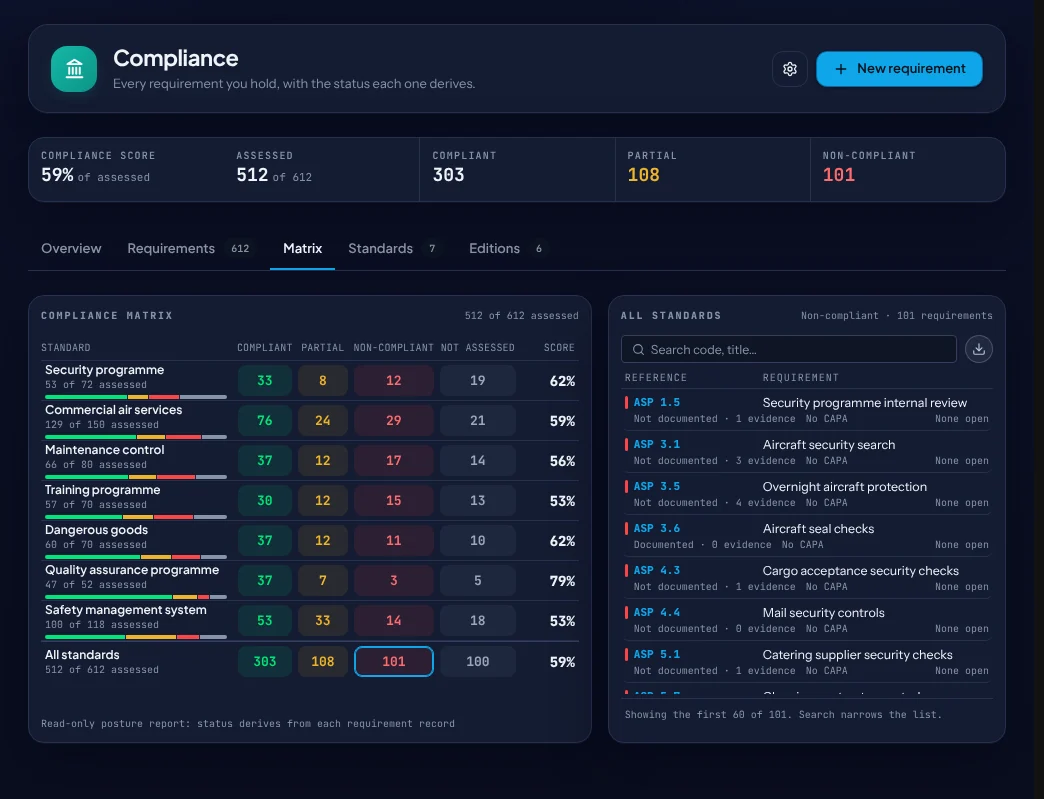
Compliance management keeps every requirement you are held to with its evidence and its status. In eAviora a requirement’s status is derived from what its owner declared and from the findings and actions still open against it, so the matrix is computed, not painted, and exports to CSV.
At a glance
The module, on one sheet
- Suite
- Compliance & Regulatory · Compliance Operations
- In the box
- IOSA Standards Manual, editions 18 and 19 with the crosswalk; Transport Canada CARs and Standards
- Your own rules
- Register your manual, or another authority’s rules, as a standard
- Records
- REQ requirements, each with its derived status
- Export
- Every standard’s matrix, as CSV
- Works with
- Audits and findings, Documents, Regulatory Changes, Evidence Hub
What it does
Four things, done on the record
Standards on your register
Add a standard, scope it to your operation and name the owners; what you do not operate is declared not applicable.
A derived status
Compliant, partial or non-compliant, worked out from declarations, open findings and their corrective actions.
Declaration gaps
Requirements nobody has declared, or declared against older wording, in one view.
New editions
Move to a new edition: one change set lists what changed, was added or was withdrawn.
In the product
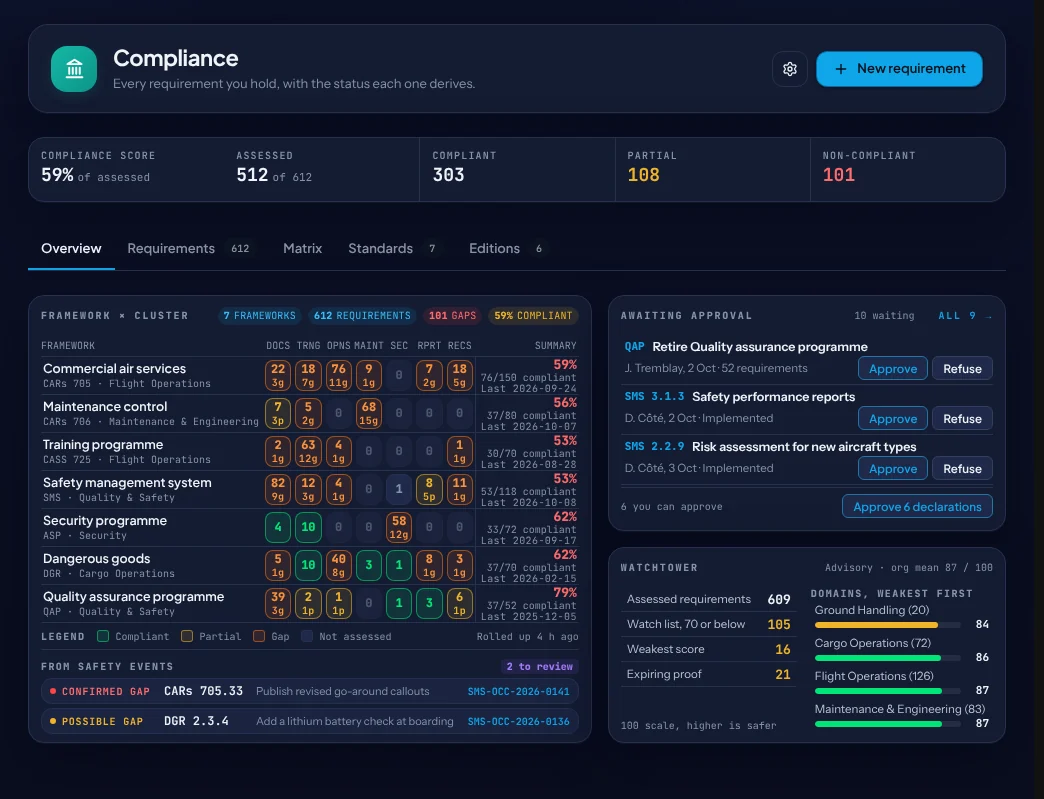
The compliance overview
- The score, by framework and by cluster.
- Declarations waiting for approval.
- Gaps raised from safety events, such as a confirmed gap against a CARs requirement.
The rule it holds
Nobody sets a requirement’s status by hand.
It is derived from the owner’s declaration and from the findings and corrective actions still open against it.
On the graph
What it links to
Questions buyers ask
Short answers
Which standards ship?
The IOSA Standards Manual, editions 18 and 19 with the crosswalk between them, and Transport Canada’s CARs and Standards. Other rules are registered as a standard of your own.
Can the auditor get a copy?
Yes. Every standard’s matrix exports to CSV.
What happens when a finding is raised against a requirement?
The requirement’s status reflects the open finding until the finding closes.
Reading
From the insights library
See Compliance on your own records
A walkthrough with the people who build eAviora.