
EAVY
eAvy, the AI assistant inside eAviora
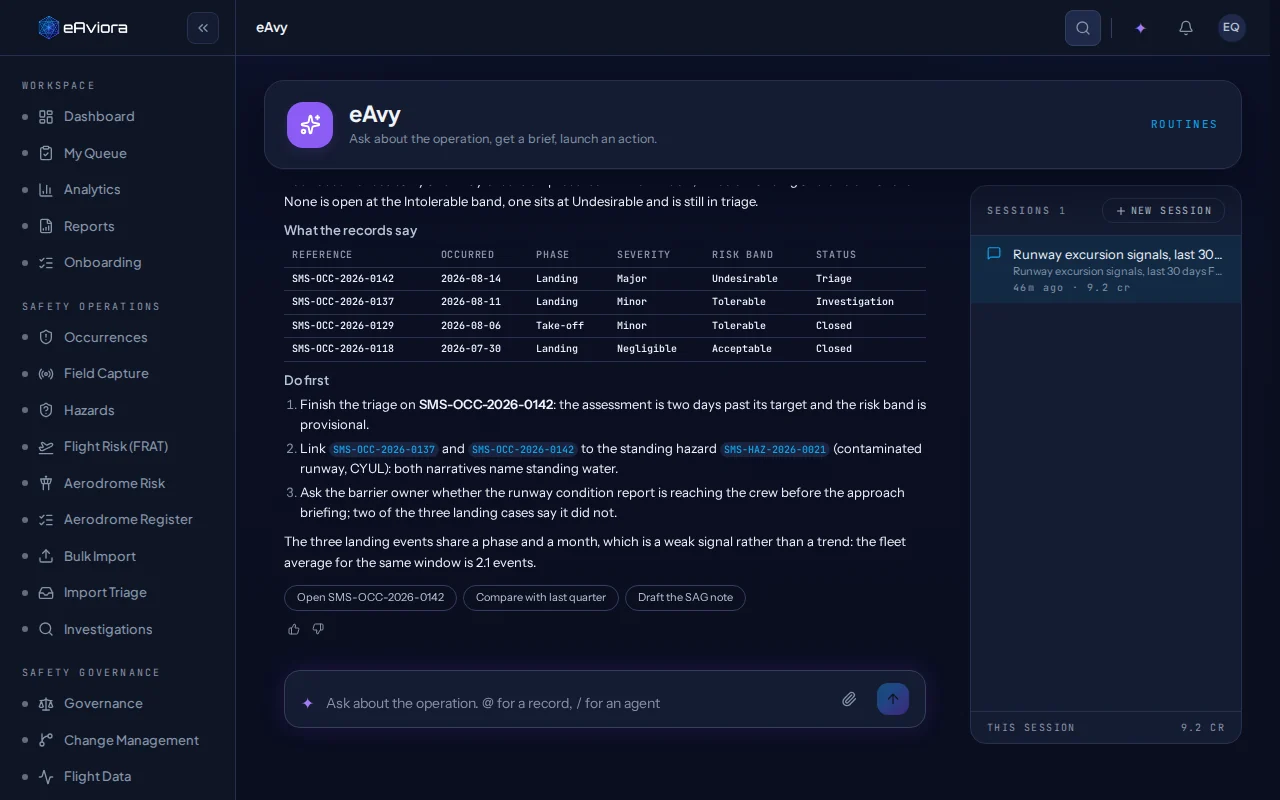
eAvy reads a record, traces what it links to, finds look-alike occurrences and drafts the next step. Every suggestion waits for a person to accept, edit or reject it.
What it does
Reads the record, drafts the next step
It picks from your taxonomy and your records. It does not invent a category.
Traces the links
Follows a record to its hazard, its investigation, its actions and its evidence.
Finds the look-alikes
Surfaces earlier occurrences that resemble this one, for a person to link or dismiss.
Drafts the next step
A classification, a risk, a summary or an action, each as a suggestion with its confidence.
Briefs you
What changed in 24 hours, the highest-risk open occurrences, this week’s safety brief.
A person decides
Nothing is written until someone accepts it
Each suggestion is a card to accept, edit or reject. The decision is kept on the record with the reviewer’s name, and eAvy cannot move a record through its workflow or sign anything off.
Try the card. It replays a suggestion from the sample record’s History tab.
Illustration · built from the sample record
Classification · SMS-OCC-2026-0142
Runway Safety › Abnormal Runway Contact
From the narrative: a hard touchdown on runway 24R, 2.1 g at touchdown, flight 412 Toronto to Montréal.
Waiting in Classification. Nothing is written until someone decides.
Behind eAvy
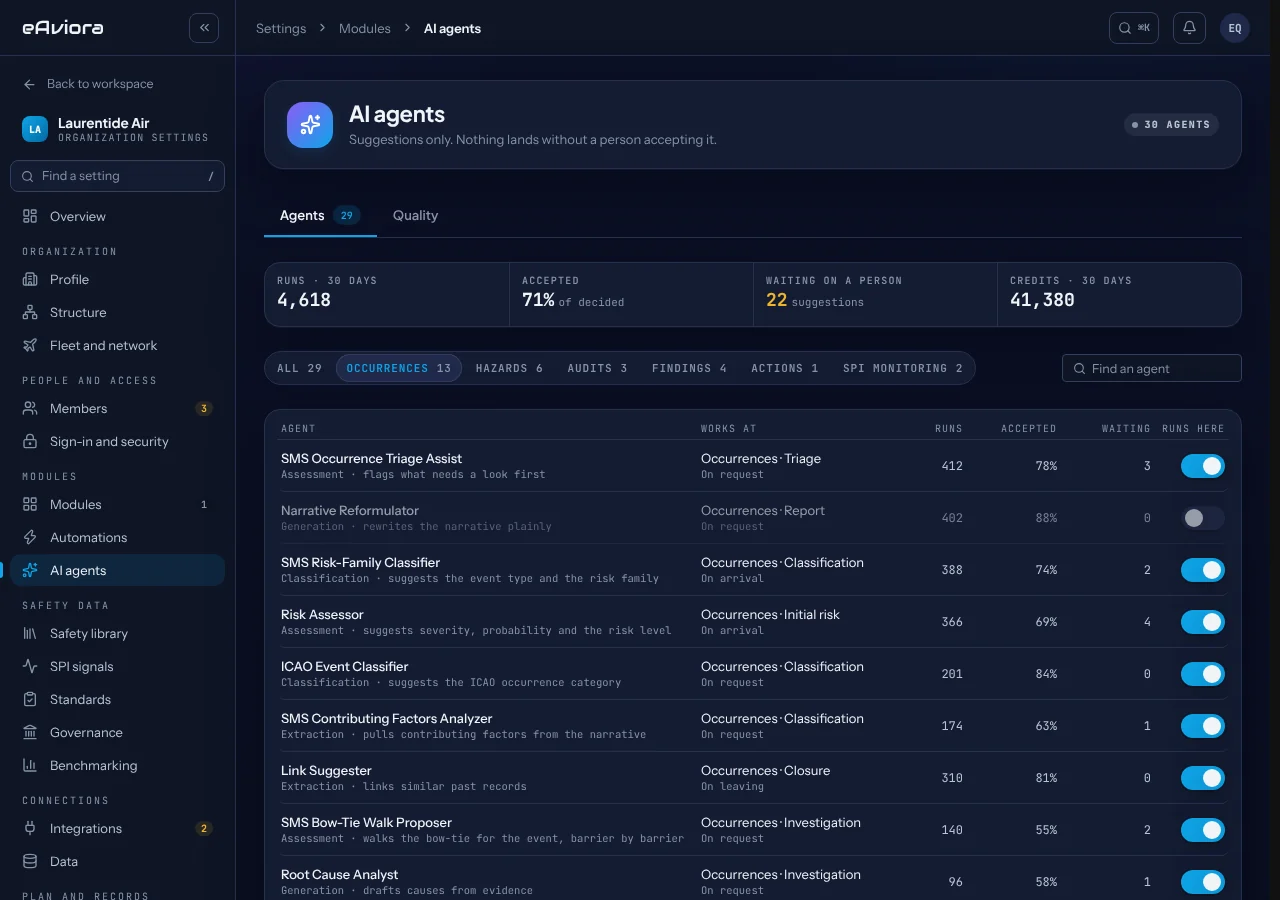
A fleet of specialist AI agents, in five categories
Each agent works at a stage of a workflow. A suggestion with low confidence is held back rather than shown.
- Classification
Reads
Suggests the event type and the risk family.
- Assessment
Rates
Suggests severity, probability and the risk level.
- Generation
Drafts
Drafts causes from the evidence, or a plain narrative.
- Validation
Checks
Looks for gaps, such as a requirement without evidence.
- Extraction
Pulls
Pulls contributing factors from a narrative, and similar past records.
Confidentiality holds
It cannot show what you cannot see
eAvy works only with what the person asking is allowed to see. A confidential report stays invisible to anyone not cleared for it, even when they ask eAvy about it.
Credits, not invoices
Measured in credits, with a ceiling you set
- One shared monthly pool for the whole organisation.
- Extra capacity in prepaid packs, with hard limits: reach the ceiling and AI use pauses.
- Credits are the only unit you see, per session and over the month.
Questions buyers ask
About eAvy
Does eAvy train on our data?
No. eAviora does not use your records to train or fine-tune any model. The processor that handles AI requests is named, with its region, on the sub-processors page.
Can eAvy close a record or change a workflow?
No. eAvy proposes. Moving a record through its workflow, and every sign-off, stay with people.
What does it cost?
AI use is metered in credits from one shared monthly pool, and extra capacity is bought in prepaid packs with hard limits, so it never turns into a surprise invoice.
Can we turn agents off?
Yes. An administrator turns each agent on or off for the organisation, and sees how many of its suggestions were accepted.
See eAvy on your own records
A walkthrough with the people who build eAviora.