
Corrective and preventive actions, tracked to verified closure
In 50 words
A corrective and preventive action (CAPA) fixes the cause of a problem and stops it coming back. In eAviora every action stays linked to the record it came from, a second person verifies the work, and by default a verified action closes only after an effectiveness review, a policy each organisation can switch off.
At a glance
The module, on one sheet
- Suite
- Shared by every suite · Shared Workspaces
- Records
- ACT actions and AEC effectiveness checks
- Stages
- Assignment, Execution, Verification, Effectiveness, Closure
- Raised from
- Occurrences, hazards, findings, barrier ratings, indicator breaches, the risk profile and survey findings
- Policy
- An effectiveness review before closure, on by default
- Works with
- Hazards, Audits and findings, Safety Performance Indicators, Evidence Hub
What it does
Four things, done on the record
Linked to where it started
An action raised from a record keeps that record as its source, so the fix and the problem stay together.
Two people, not one
The owner and the verifier are different people, and only the assigned verifier marks the work verified.
An independent effectiveness check
The person who assesses whether the fix worked is neither the owner nor the verifier.
A second person approves closure
The final approver is someone other than the person closing, unless an administrator allows self-approval.
In the product
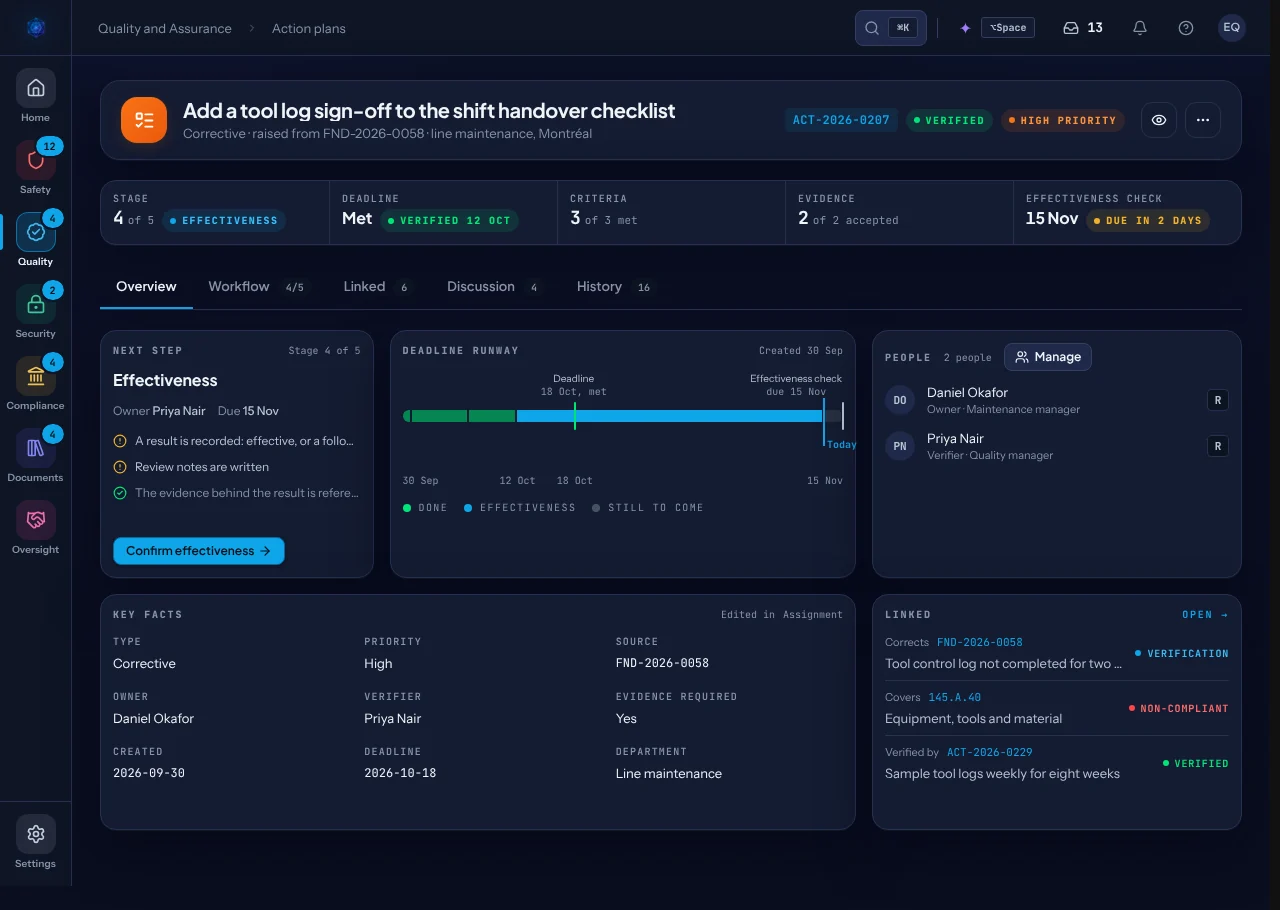
An action, at its effectiveness check
- The deadline, and how long is left.
- The measure of effectiveness and what it found.
- The people assigned: owner, verifier and assessor.
The rule it holds
A verified action closes only after its effectiveness review.
On by default and switchable per organisation; the review must come after verification, and effective, ineffective or waived all count.
On the graph
What it links to
Questions buyers ask
Short answers
Can the owner verify their own action?
No. The owner and the verifier must be different people, and only the assigned verifier can mark it verified. An administrator is the one exception.
Can we close without an effectiveness review?
Only if your organisation switches the policy off. It is on by default, and a review can also be waived on the record.
Where do actions come from?
An occurrence, a hazard, an audit finding, a barrier rating, an indicator breach, the risk profile or a survey finding. An action can also be raised on its own.
Reading
From the insights library
See Action Plans on your own records
A walkthrough with the people who build eAviora.